


Ar galiu naudoti šį kremą nuo saulės kasdien?

RetroScaler CUBEODE V1.2 Optical Drive Emulator for GC Loder Swiss SD2SP2 Replace for All Version NGC GameCube Game Console
CUBEODE
€43,28
Eiti prie informacijos apie gaminį


RetroScaler CUBEODE V1.2 Optical Drive Emulator for GC Loder Swiss SD2SP2 Replace for All Version NGC GameCube Game Console
€43,28
SPECIFICATIONS
Accessories Type: Motherboard
Be used to: replace broken disc reader of NGC
Brand Name: RetroScaler
Choice: yes
Color: Black
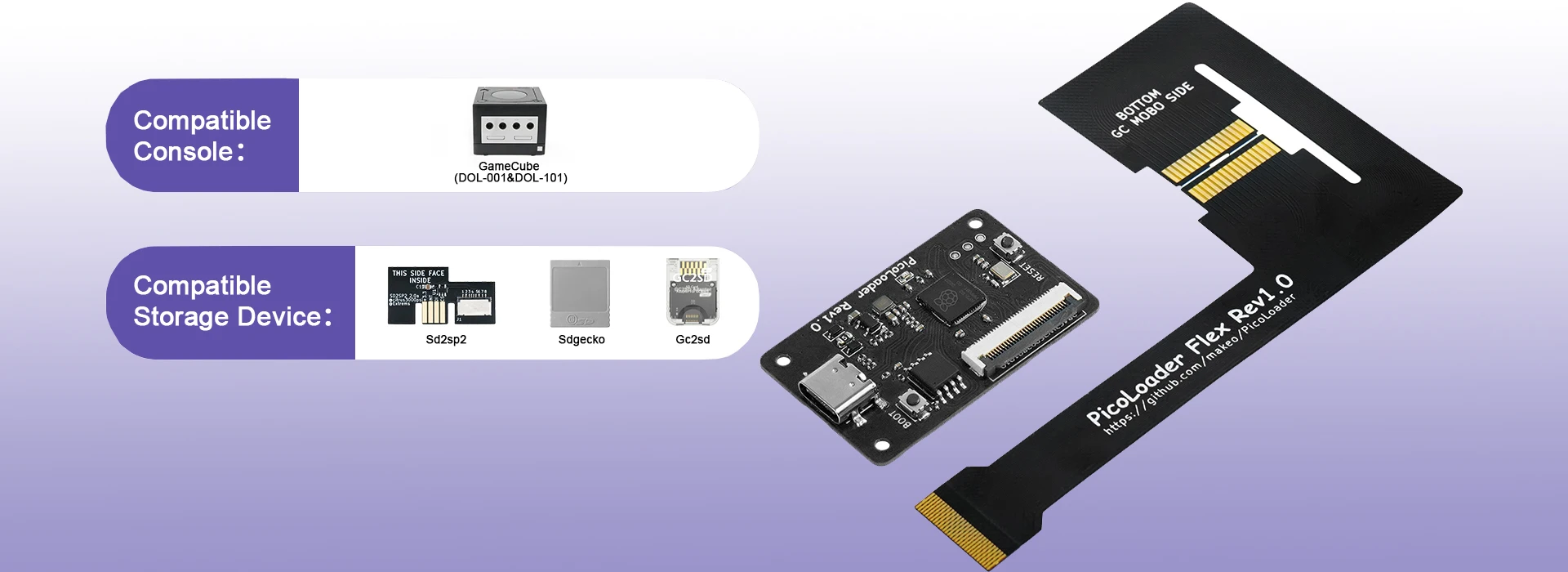
Compatible: GC Loader / SD2SP2 / SDGecko
Compatible Brand/Model: Nintendo
Compatible Nintendo Model: Nintendo GameCube
Electric: No
High-concerned chemical: None
Item: CUBEODE
Model Number: XLL-CUBEODEGC
Origin: Mainland China
Prodcut: Optical Drive Emulator
USB port: for updating firmware
With USB: yes
is_customized: no
For product technical support:
1. Please join the RetroScaler Discord : discord.gg/aryJd43VWJ
2. Please visit RetroScaler Official Store to contact customer service.
( https://retroscalerretroscaler.aliexpress.com/store/1101511602?spm= )
3. E-mail : barry@retroscaler.com
4. Visit RetroScaler on Youtube to see more videos of the product in use.
( https://www.youtube.com/@RetroScalerOffcial)


CUBEODE V1.2 Optical Drive Emulator for GC Loder Swiss SD2SP2 Replace Plug and Play for All Version NGC GameCube Game Console
Note:
1. CUBEODE detailed operation, please visit the link below:
https://www.youtube.com/playlist?list=PLQ6X-Dl0NtDkO78gnRJtRfE__3NfXHTHn
2. Please use an SDHC/SDXC standard TF or SD memory card with a capacity greater than 4GB.
This product comes with a TF card as a gift. But If you encounter an error during use, please replace and install a new SD card.
*** The TF card sent with the product is a gift. It is not within the scope of product after-sales. If there is a problem with the gift, please check the video link above to prepare and make the TF game card yourself.
Introduction:
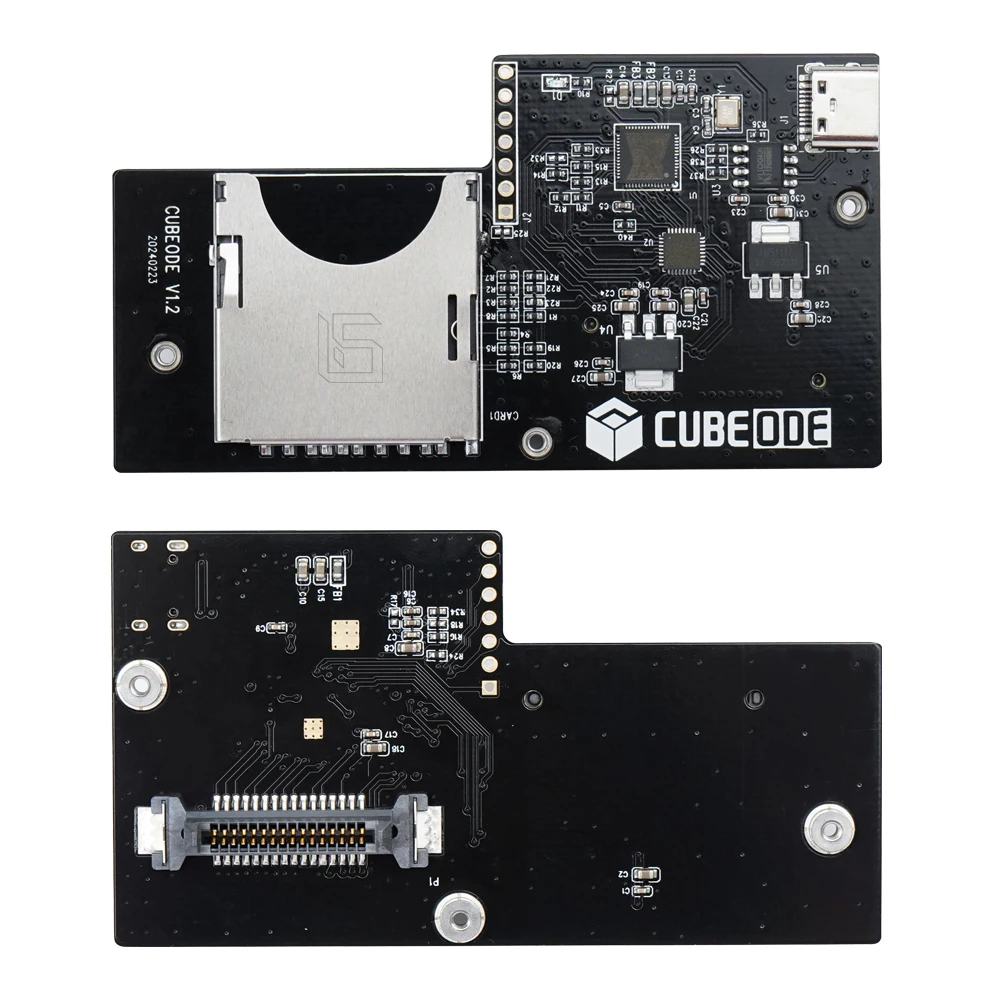
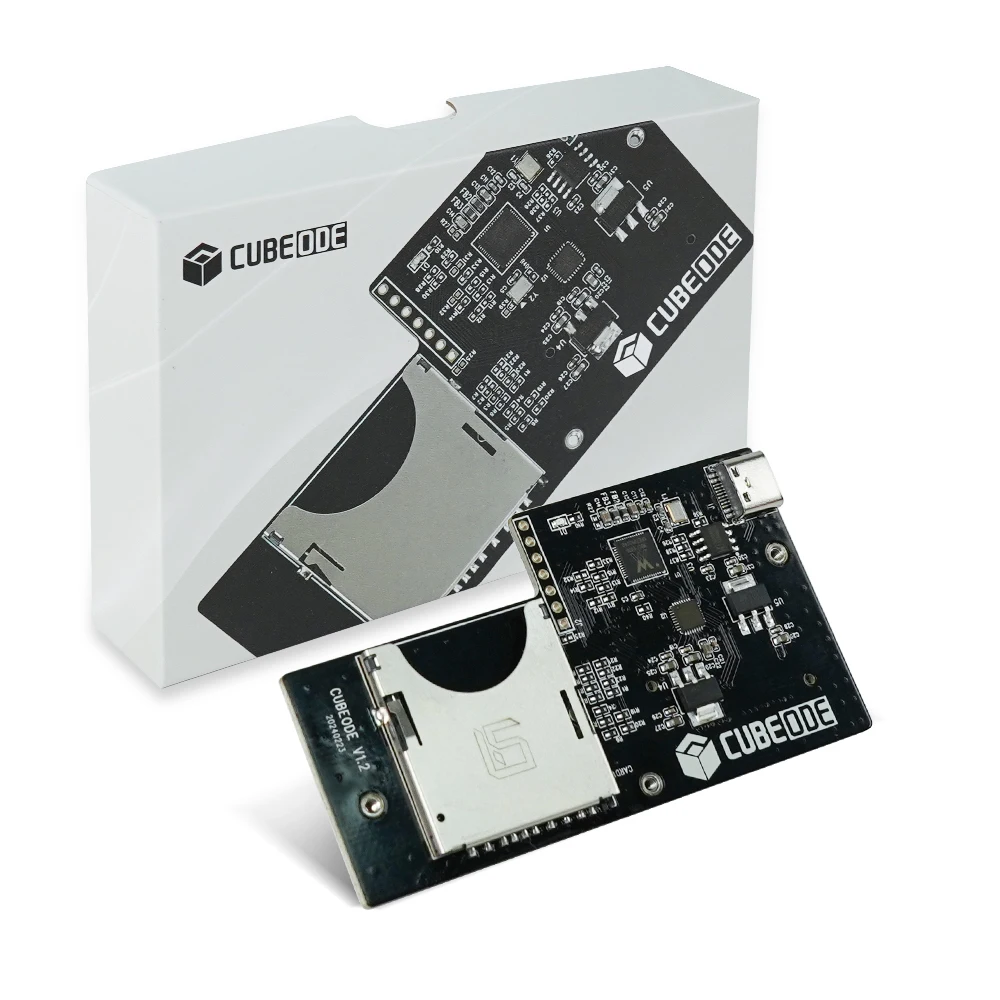
CUBEODE can replace the GameCube DVD drive. With it, you can load games and homebrew from a memory card. There is a significant improvement in game loading times, and there is no region restriction, allowing you to play games from all regions on a single memory card. You do not have to worry about issues caused by a faulty drive.
It is plug-and-play without requiring any soldering skills. Simply disassemble your GameCube and replace the original DVD drive with CUBEODE.
CUBEODE Official Web: www.cubeode.com

Features:
- Plug and Play,no soldering, no Need SD2SP2/SDGecko.
- FAT32 and exFAT support for SD Card (Supports up to 1TB card ).
((Please use an SDHC/SDXC standard TF or SD memory card with a capacity greater than 4GB.)
- Supports ISO, GCM, and DOL files.
- Supports Audio Streaming Games.
- Supports firmware updated by USB port.
- Run games and homebrew using the swiss menu. (https://github.com/emukidid/swiss-gc/releases)
- Compatible NGC DOL-001&DOL-101,No regional restrictions.

How to use?
(SD Card Guide)
You can visit < https://www.cubeode.com/cubeodeusermanual/>
1.Format your sd card to fat32 or exFAT format
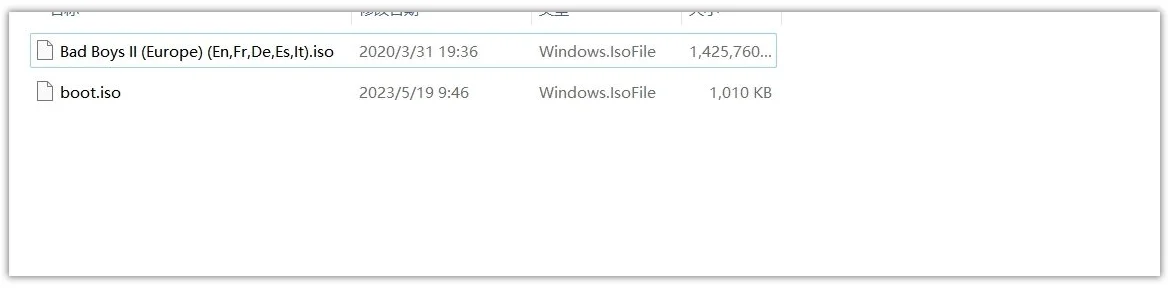
2.Go to swiss (https://github.com/emukidid/swiss-gc/releases)github and download the latest version of the software, unzip it and copy the boot.iso file from the gcloder folder to the root directory of the sd card.
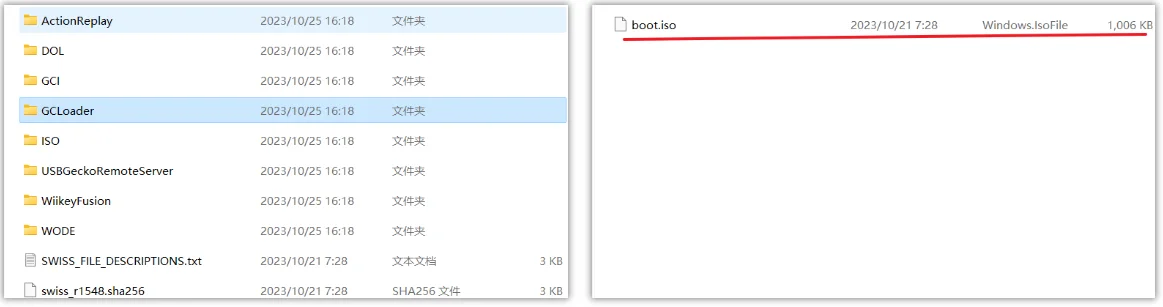
3.Put your favourite game files into the root directory of your SD card.
FAQ
Q1: Will It work for no mods original NGC?
A1: Yes, It will work.
Q2: What versions of the console are supported?
A2: Support NTSC/PAL nintendo gamecube dol-001 and dol-101 consoles.
Q3: Do you need sd2sp2/sdgecko/gctosd to use it?
A3: No, the console can be started directly from cubeode.
Q4: How cubecode works?
A4: The product uses swiss as the boot menu, just copy swiss gcloder boot.iso directly to the memory card.
Q5: What file systems are supported by SD cards?
A5: exfat/fat32
Q6: What formats of games can be run?
A6: dol /iso/gcm
Q7: Can it run "NGC Service Disc v1.0/03" in cold boot??
A7: Yes, It can.
Q8: Can I save the progress on the SD inside the CUBEODE?
A8:Yes, you can. But you need to make a setting by swiss.
Q9: what is the usb-c port on the CUBEODE for?
A9: It is for updating the fimware.
Q10: will CUBEODE support external disk drivers?
A10: No , It won't.
Sukurta naudngam odai ingredientų

Citrinų ekstraktas
Šviesėja ir atgaivina pavargusią, blangią odą

Centella Asiatica
Ramina ir padeda odai atsistatyti

Cinko peraksydis
Apsaugo odą nuo kenksmingų UVA ir UVB spindulių

Hialurono rūgštis
Giliai drėkina ir išlaiko drėgmę

Vitaminas E
Apsauga oda nuo aplinkos poveikio stresorių
Kaip naudoti „GemShield“ nuoaugusį kremą
Pradėkite nuo švaiciaus odos
Prieš būnant saulėje, tolygiai užtepkite gausų kiekį ant švarios odos, kad kasdien apsaugotumėte ją nuo saulės.

Palikite apsaugą įjungtą
Pakartotinai tepkite kas dvi valandas, ypač suprakaitavę, išsimaudę ar nusišluostę rankšluosčiu, kad išlaikytumėte apsaugą.

Paversk tai įpročiu
Kad ilgalaikis rezultatas būtų kuo geresnis, naudokite kiekvieną rytą kaip paskutinį odos priežiūros rutinos žingsnį.

Ką sako mūsų klientai


Aiškiai matykite skirtumą.
Palyginkite „GemShield“ su kitais ir atraskite geresnę apsaugą bei patogumą


