


Can I use this sunscreen every day?

Internetinė kamera
Remote Control R2 / China Mainland
€44,61
Skip to product information



Internetinė kamera
€44,61
SPECIFICATIONS
Brand Name: NONE
Certification: CE,FCC
Form-factor: Others
High-concerned chemical: none
Origin: Mainland China
Package: Yes
Support APP: No
Use: Camera / Video Camera
Wireless Communication: RF
EMEET Remote Control R2, Effortless Webcam Command
Your wireless command center for seamless webcam control.
Compatible With : Models compatible with EMEET SUDIO software, such as EMEET PIXY Wireless, EMEET PIXY, EMEET PIXY 2K, EMEET Piko, and EMEET Piko+
Please note:
This remote control is currently compatible only with EMEET STUDIO software; it is not compatible with third-party applications such as OBS, Zoom, or Google Meet.
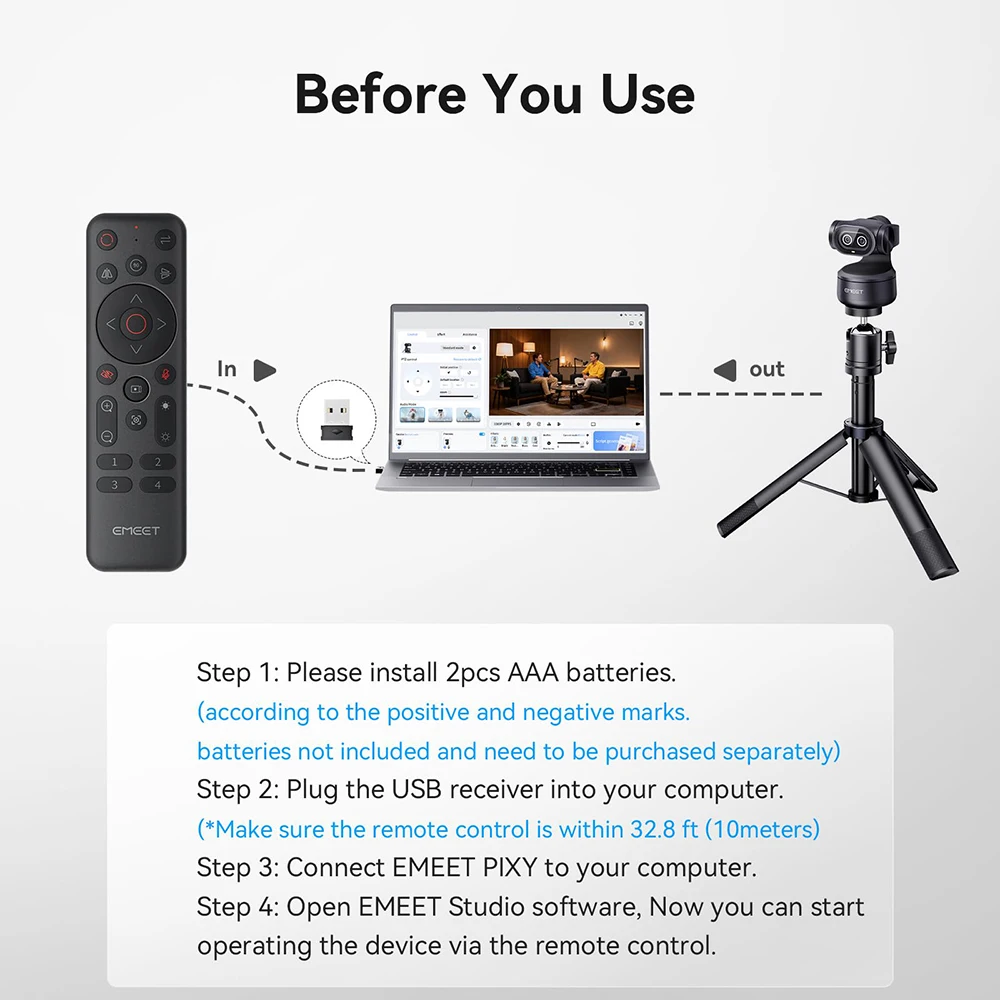
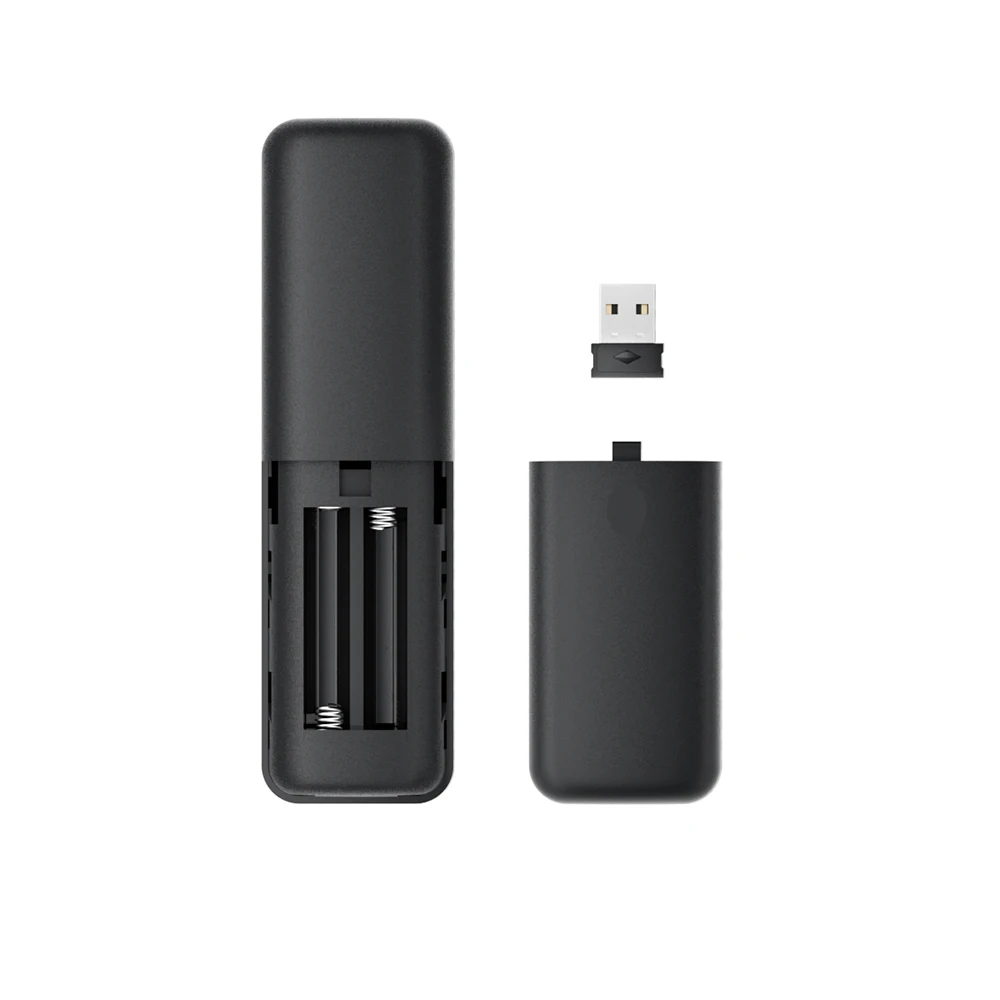
Please install 2pcs AAA batteries use.
Batteries not induded and need to be purchased separately.
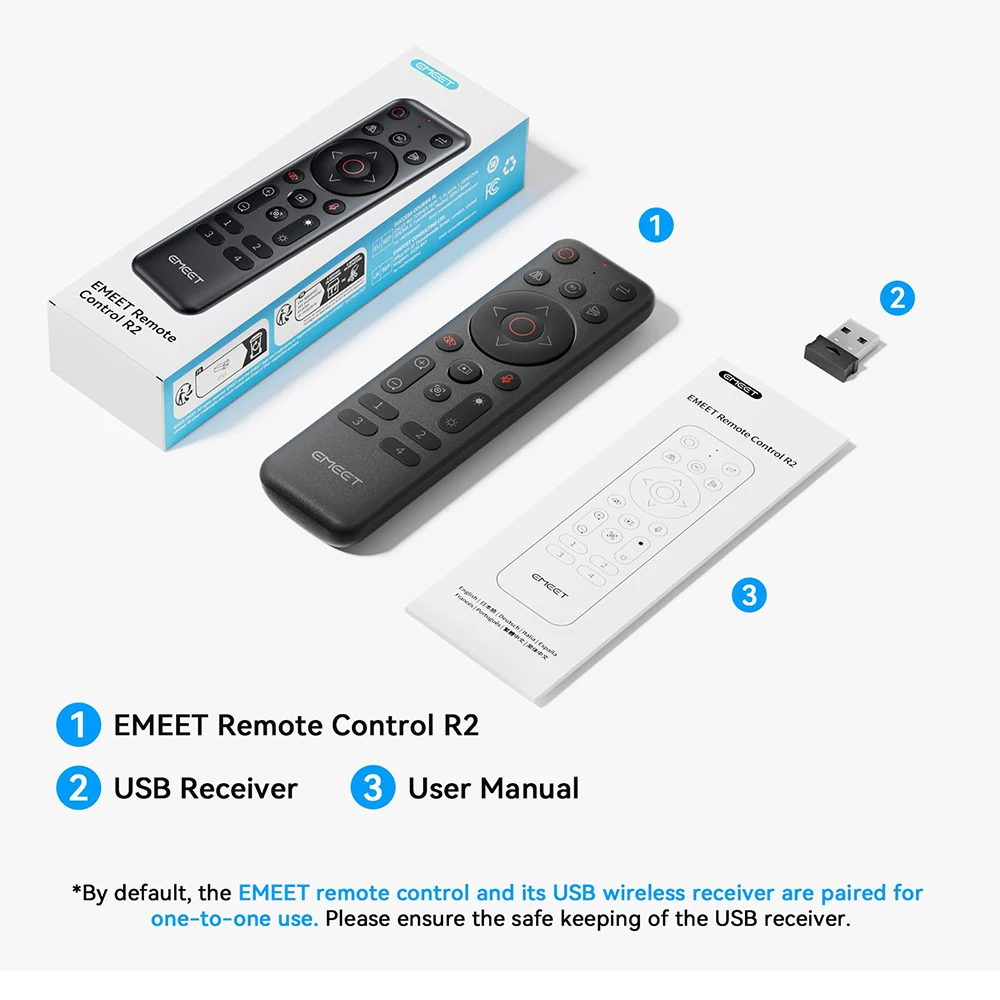
By default, the EMEET remote control and its USB wireless receiver are paired for one-to-one use. Please ensure the safe keeping of the USB receiver.
About this item:
1. Built for the EMEET P-Series Family – Fully compatible with all EMEET 4K dual-camera streaming webcams: PIXY, Piko, and Piko+. Requires EMEETSTUDIO for full function access.
2. EASY SETUP & SMOOTH CONTROL – Install 2 AAA batteries (not included, follow the positive and negative marks), plug the USB receiver into your computer, and connect EMEET PIXY/Piko+/Piko 4K Webcams. Keep the remote within 32.8 ft (10 meters) for best performance. Open EMEET Studio to start operating your device effortlessly.
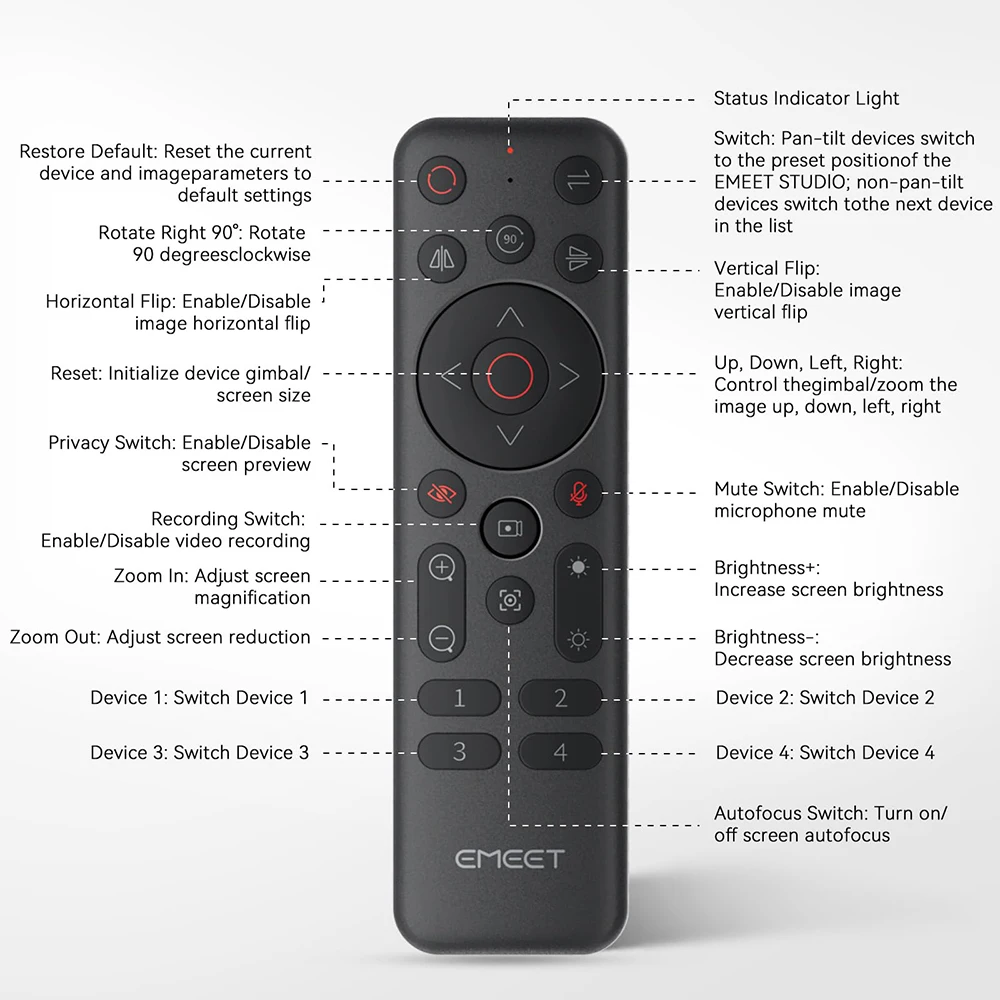
3. Precision PTZ Control – Instantly adjust pan, tilt, and zoom for PIXY with one click. Designed for streamers, educators, and pros who need fast, stable, and accurate framing on the fly.
4. AI Tracking & Preset Access – Activate auto-tracking or switch between preset views during live sessions for PIXY—no need to reach for your mouse. Seamless scene switching boosts production value.
5. Basic Image Adjustment Made Easy – Control brightness, zoom level, mirroring, and flip functions directly via remote. Fine-tune your visuals in real time without touching software controls.
6. Privacy at Your Fingertips – One-tap privacy mode helps protect your space. Whether you're pausing a call or stepping away, simply tilt to hide the lens via remote—secure, silent, and quick.
Powered by skin-loving ingredients

Lemon Extract
Brightens and refreshes tired, dull skin

Centella Asiatica
Soothes and supports skin recovery

Zinc Oxide
Shields skin from harmful UVA and UVB rays

Hyaluronic Acid
Deeply hydrates and locks in moisture

Vitamin E
Protects skin from environmental stressors
How to use GemShield sunscreen
Start with clean skin
Apply a generous amount evenly on clean skin before sun exposure for daily protection

Keep protection active
Reapply every two hours especially after sweating swimming or towel drying to maintain protection

Make it a habit
Use every morning as the final step of your skincare routine for best long term results

What our customers are saying


See the difference clearly
Compare GemShield with others and discover better protection and comfort


